
A cash shift ("turno") is a session at the POS that begins when a cashier opens the drawer with the cash on hand and ends when they count the real cash at closing. The system computes the expected amount from the orders paid during the shift so any discrepancy is visible.
Activate the feature
Go to Configuración del Negocio → Corte de caja por turno and turn the switch on. Save with the Guardar button.
Open a shift (morning)
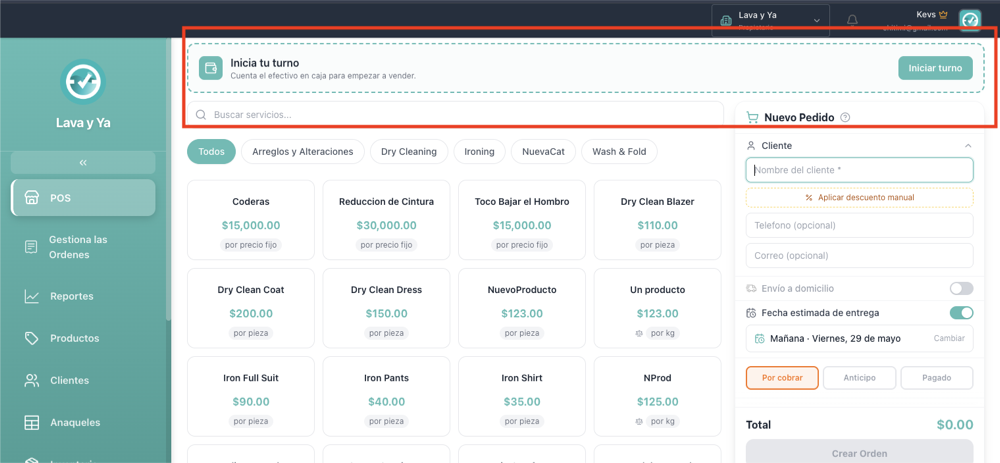
Open the POS at the start of the day. If no shift is active, you will see the "Inicia tu turno" card at the top.
Count the physical cash already in the drawer.
Tap Iniciar turno, enter the cash amount, optional notes, and confirm.
A green banner appears at the top of the POS with the employee on shift, opening time, and opening amount.
See the cash flow live
Tap Ver detalle on the green banner.
A modal shows sales by method (Efectivo / Tarjeta / Transferencia), order count, and the highlighted Efectivo esperado en caja — apertura + ventas en efectivo.
Each method row is clickable: tap to see exactly which orders contributed. Useful for finding the source of a specific amount.
Close the shift (end of day)
Tap Terminar turno on the green banner.
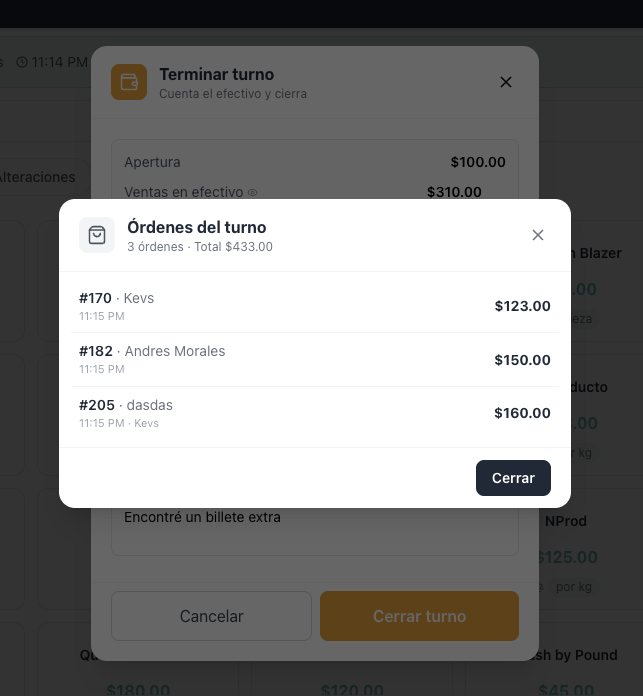
The close modal shows: opening, cash sales, expected cash. You can also tap "ver detalle" to see exactly which orders contributed.
Count the physical cash and type it in Efectivo contado real. The diferencia appears live: green ✓ if it matches, red if missing, blue if extra.
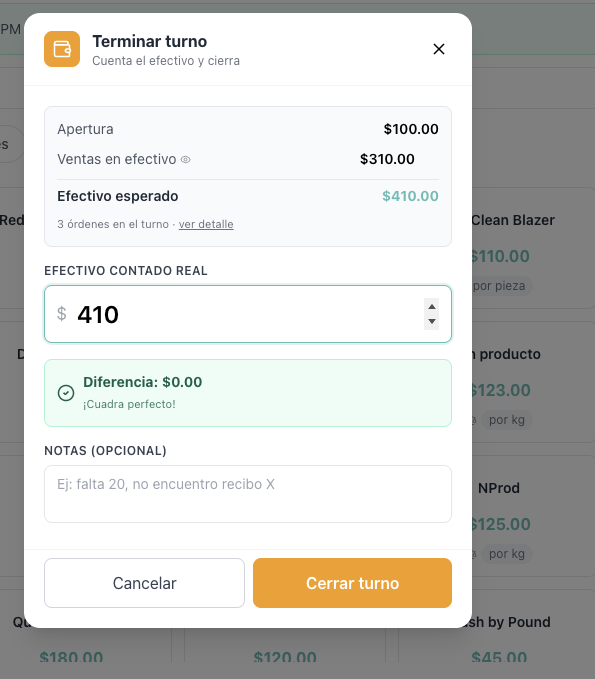
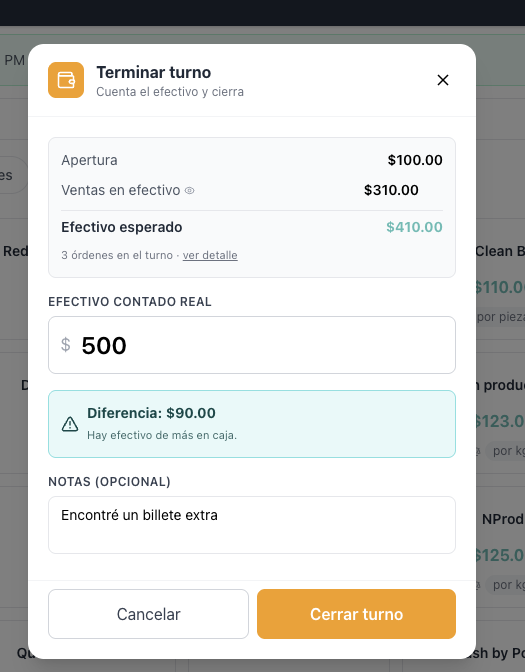
Tap Cerrar turno. The shift is closed and recorded.
See the history of all shifts
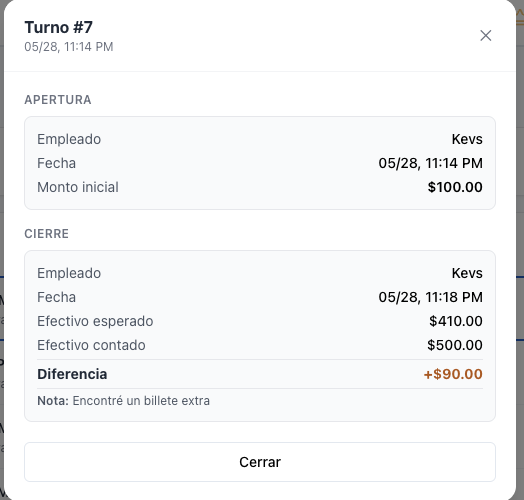
Go to Reportes → Corte. With cash shifts active, you see all turnos for the chosen date range: opening/closing employee, times, apertura amount, sales in cash, real vs expected, diferencia.
Click any shift to see its full detail including the notes from open and close.
Frequently asked questions
¿What if a customer pays an order from a previous day during my shift? It counts in your shift. The system tracks orders that were paid (fechaPago) during the shift window, not orders created during it.
¿What about anticipos? Anticipos paid in cash during the shift window are also included in the cash total. They are listed separately in the drill-down with the "anticipo" tag.
¿Are discounts considered? Yes. The expected cash for a fully-paid order is total − descuento − anticipo. For anticipos it is just the anticipo amount.
¿Who is recorded as the responsible for each order? Every order records the employee who created it. To also track status changes, payments, discounts or edits, the upcoming Team Activity module covers that.