
This guide covers the advanced variant features that go beyond the basic single-type setup. You'll learn to combine two pricing dimensions into a matrix, use Color as a visual identifier, and choose the right pricing mode for each product.
Two pricing dimensions (2D matrix)
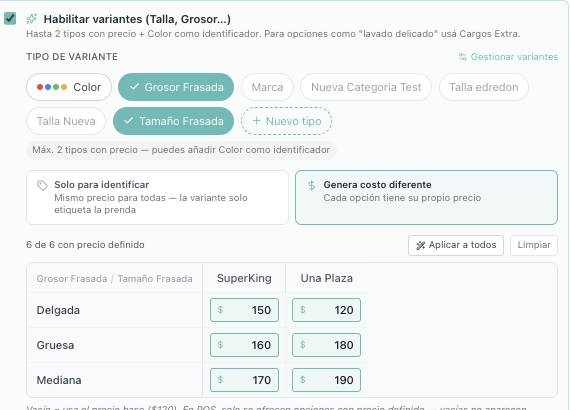
Some products need two attributes that affect the price. For example, a blanket varies by Thickness (thin, medium, thick) AND Size (twin, super king). Instead of creating 6 separate products, create one with 2 variant types.
Step 1 — Create both variant types
Open Manage Variants from the Products toolbar and create both types with their values.
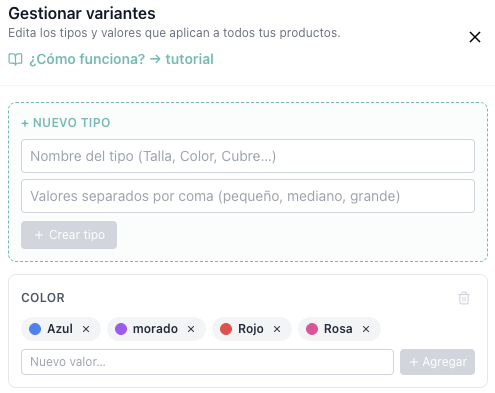
Step 2 — Select both types and fill in the matrix
Edit the product, enable variants, and select both type chips. Choose "Generates a different cost" and a 2D matrix appears: one type as rows, the other as columns (sorted alphabetically). Fill in each cell with the price for that combination.
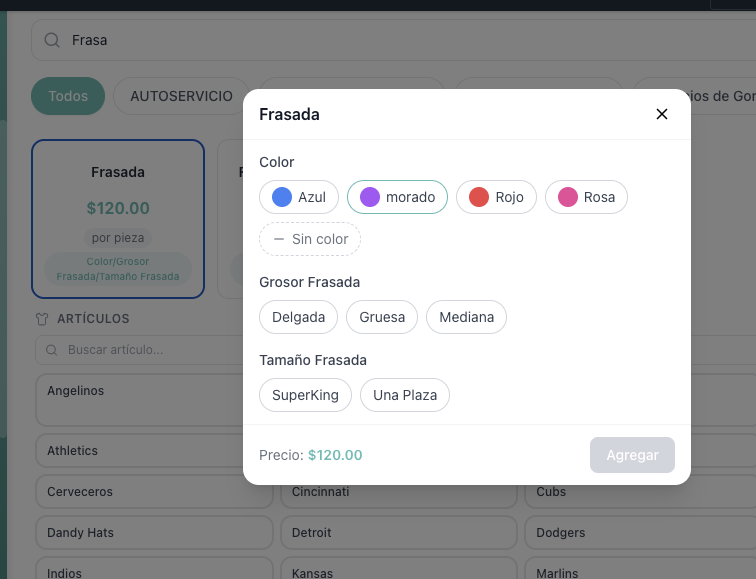
How it looks at the POS
The cashier sees a chip picker for each type. The price updates live as they select the combination. Both types are mandatory — there is no skip option when prices are configured.
"Identifies only" vs "Generates a different cost"
When you select a variant type, a mode picker appears with two options:
Identifies only — all variants share the base price. The variant only labels the item on the ticket (e.g., "Size: Medium"). No price table. Great for tracking which item was serviced without changing the cost.
Generates a different cost — each variant or combination has its own price. The price table (or 2D matrix) appears for you to fill in.
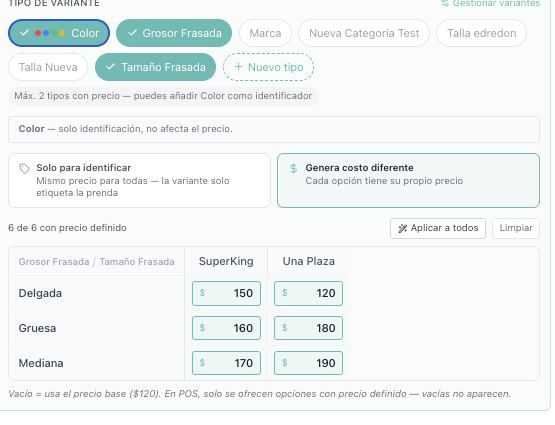
Color as a third identifier
Color is special: you can add it as a third type alongside two pricing types. It acts purely as an identifier — it never affects the price. A note confirms this: "Color — identification only, does not affect the price."
Your account comes pre-loaded with 12 colors (Red, Blue, Green, Yellow, Pink, Orange, Purple, Black, White, Gray, Brown, Beige) displayed as color swatches.
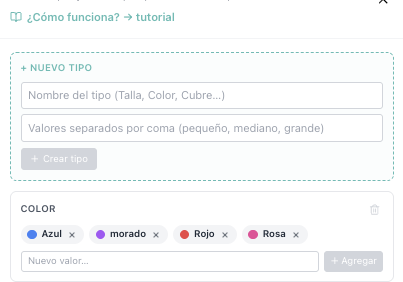
Example: a blanket with Thickness × Size (pricing) + Color (identifier). The cashier picks thickness and size (determines price), then optionally color (labels the item). The ticket reads "Thick · Super King · Blue — $160".
Quick reference
Pricing types — Max 2. Each gets its own price per value or combination.
Color identifier — +1 optional. Never affects price, shows as color swatch.
Total types per product — Max 3 (2 pricing + 1 Color).
Empty matrix cells — Fall back to the product's base price. Only fill in what differs.
POS selection — Mandatory for pricing types. Optional for Color.