The tracking QR is a code printed on the customer ticket. When the customer scans it with their phone, a page opens showing the current status of their order — Pending, Done, Delivered — with timestamps. No app to install, nothing to log in to.
How to turn it on
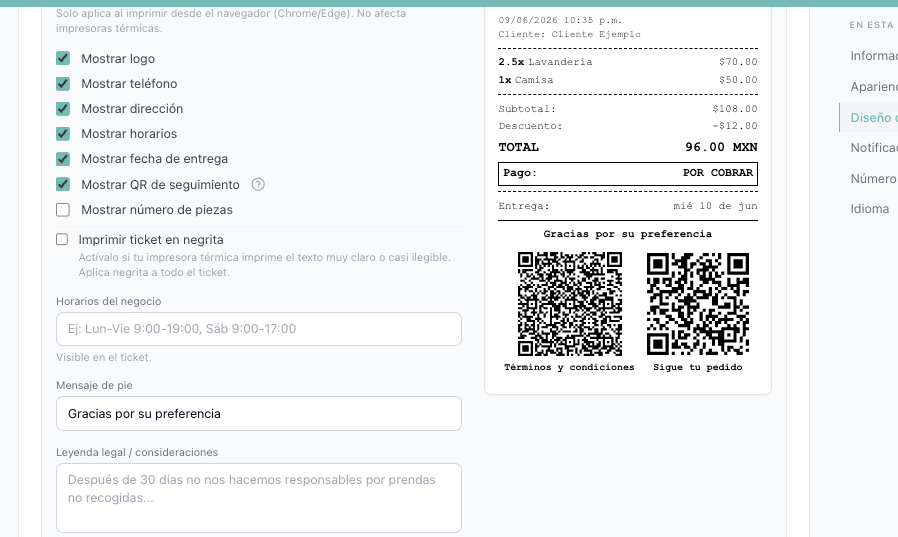
Go to Business Settings → Ticket design and check "Mostrar QR de seguimiento". The live preview shows exactly how the ticket will print. It is off by default, so the QR only appears once you enable it.
What your customer sees
When the customer scans the QR, they land on your branded tracking page with the order number and a status timeline (Pending → Done → Delivered). They can check it anytime without calling you.
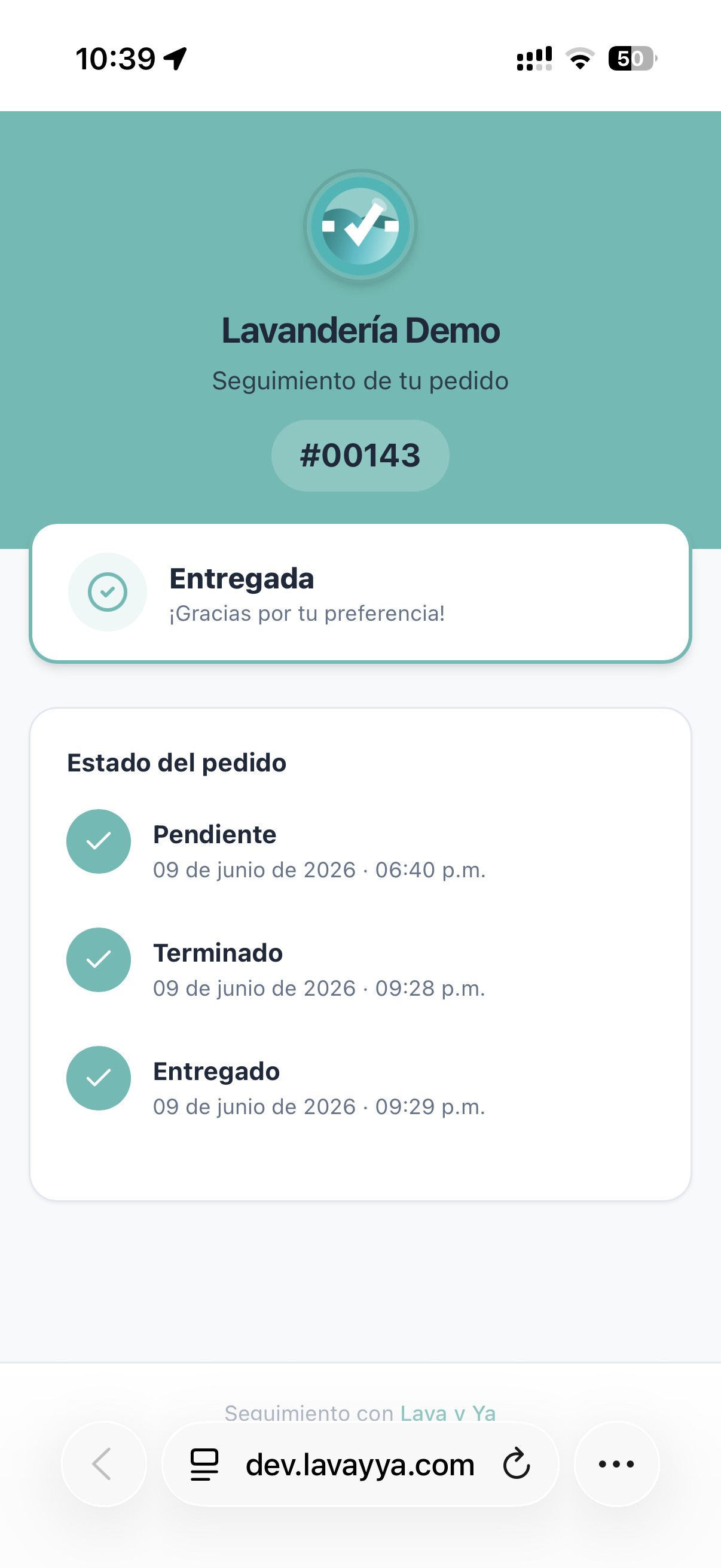
NotaThe tracking page shows only status and dates — never the customer’s phone, address, amounts, or shelf location. Those stay private.