
The Cash Register Closing Report allows you to review the money handled by your business during the day. You can check your income, expenses, and the money available in the cash register, making it easier to keep track of your daily operations.
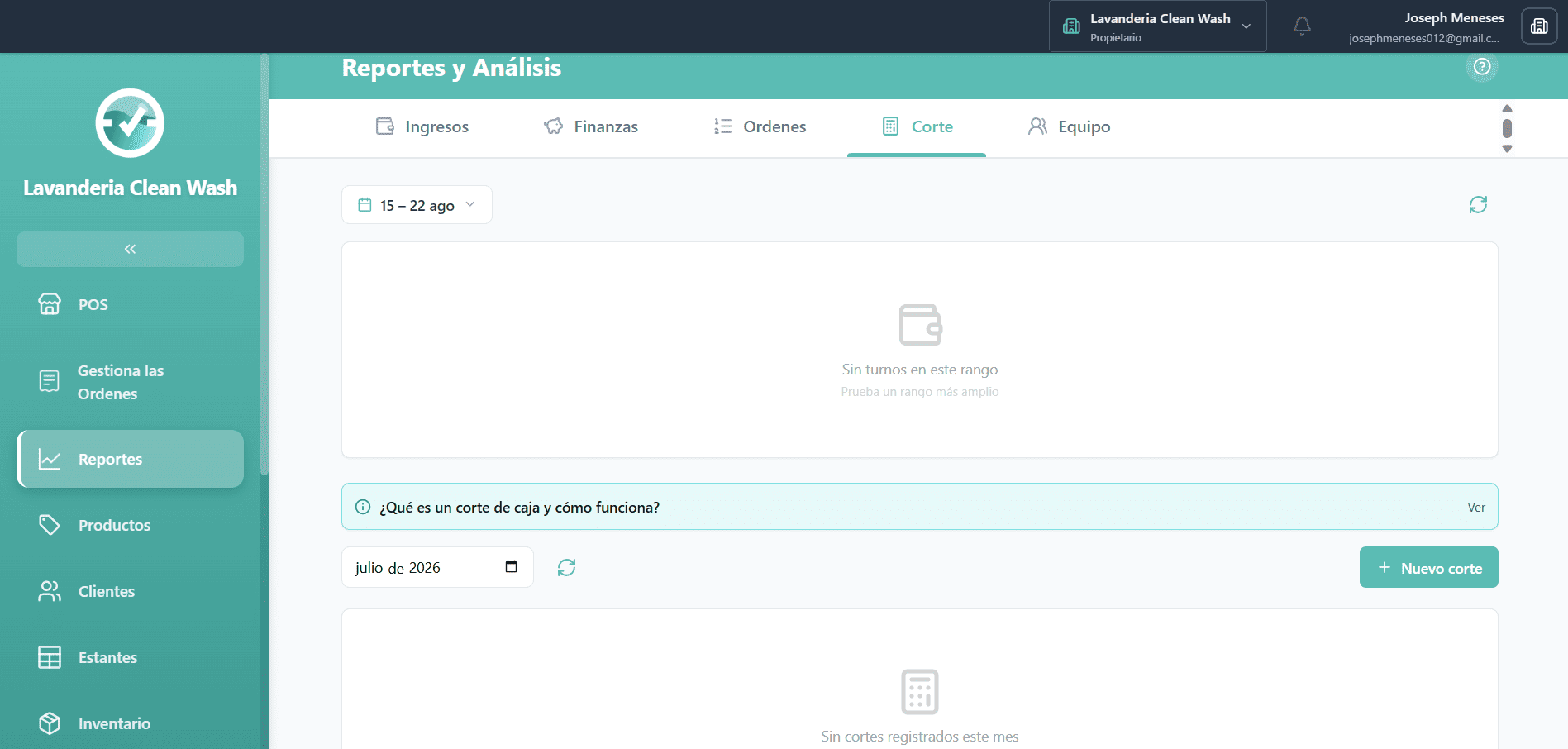
What is the Cash Register Closing Report for?
The Cash Register Closing Report is used to review and control the money generated and spent by the business during the day. It shows a summary of the income, expenses, and money that should be available in the cash register.
How does the Cash Register Closing Report work?
The report collects the transactions recorded during the day and organizes them into different sections. This allows you to quickly identify how much money came in, how much was spent, and how much money should remain in the cash register.
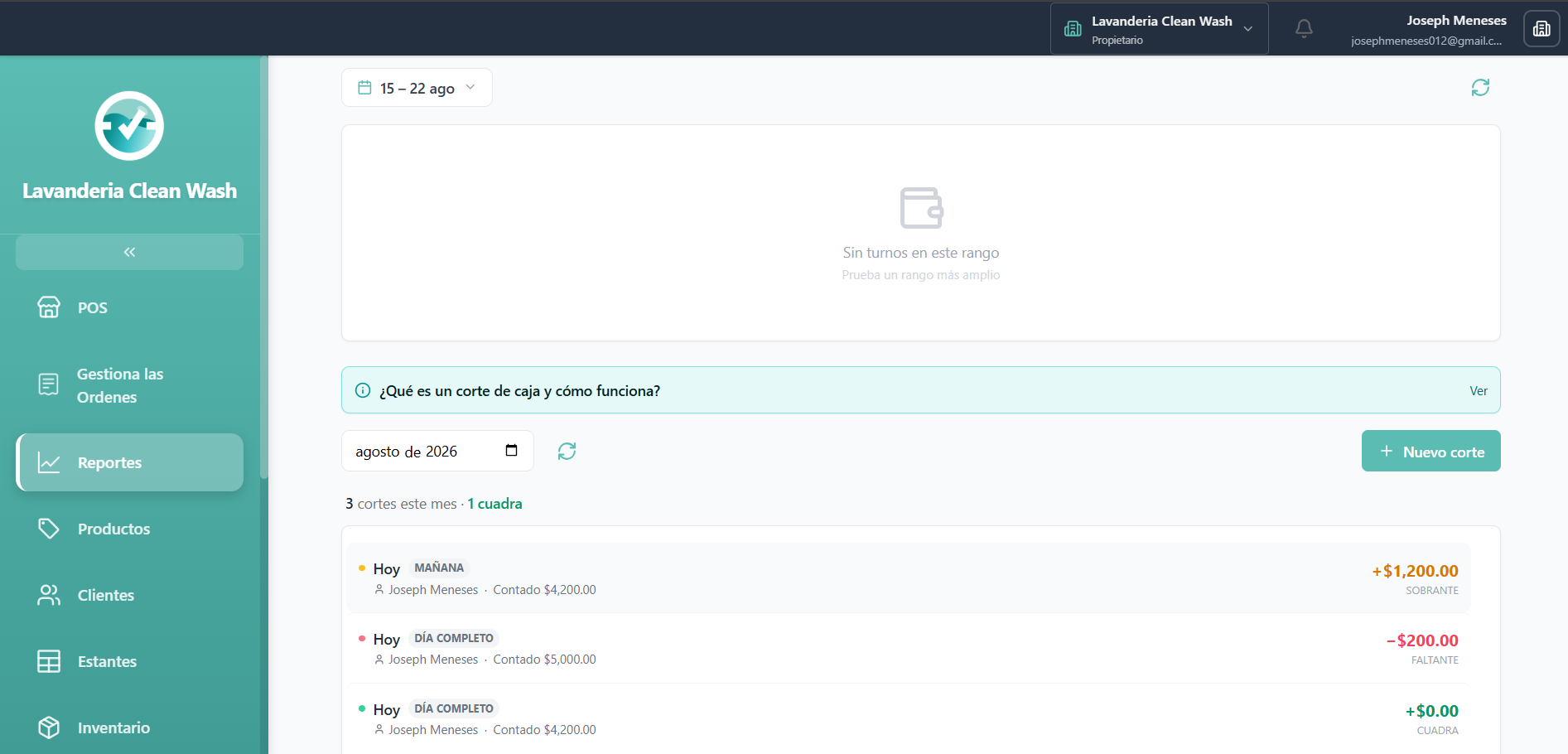
Daily Income
The income section shows the money generated by the business during the day. This includes the payments received for the services or products recorded in the system.
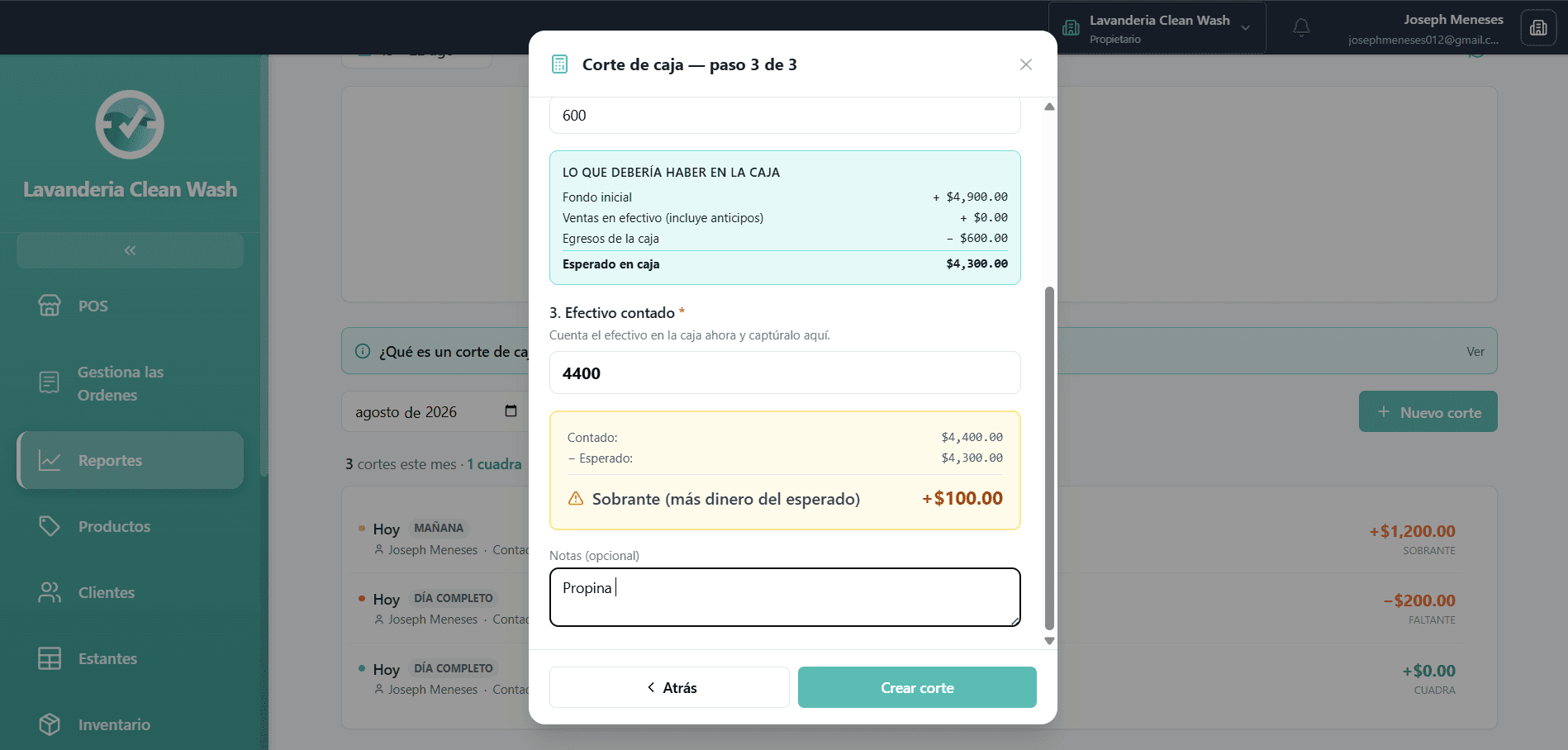
Daily Expenses
The expenses section shows the money that was spent during the day. These expenses are taken into account when calculating how much money should remain available in the cash register.
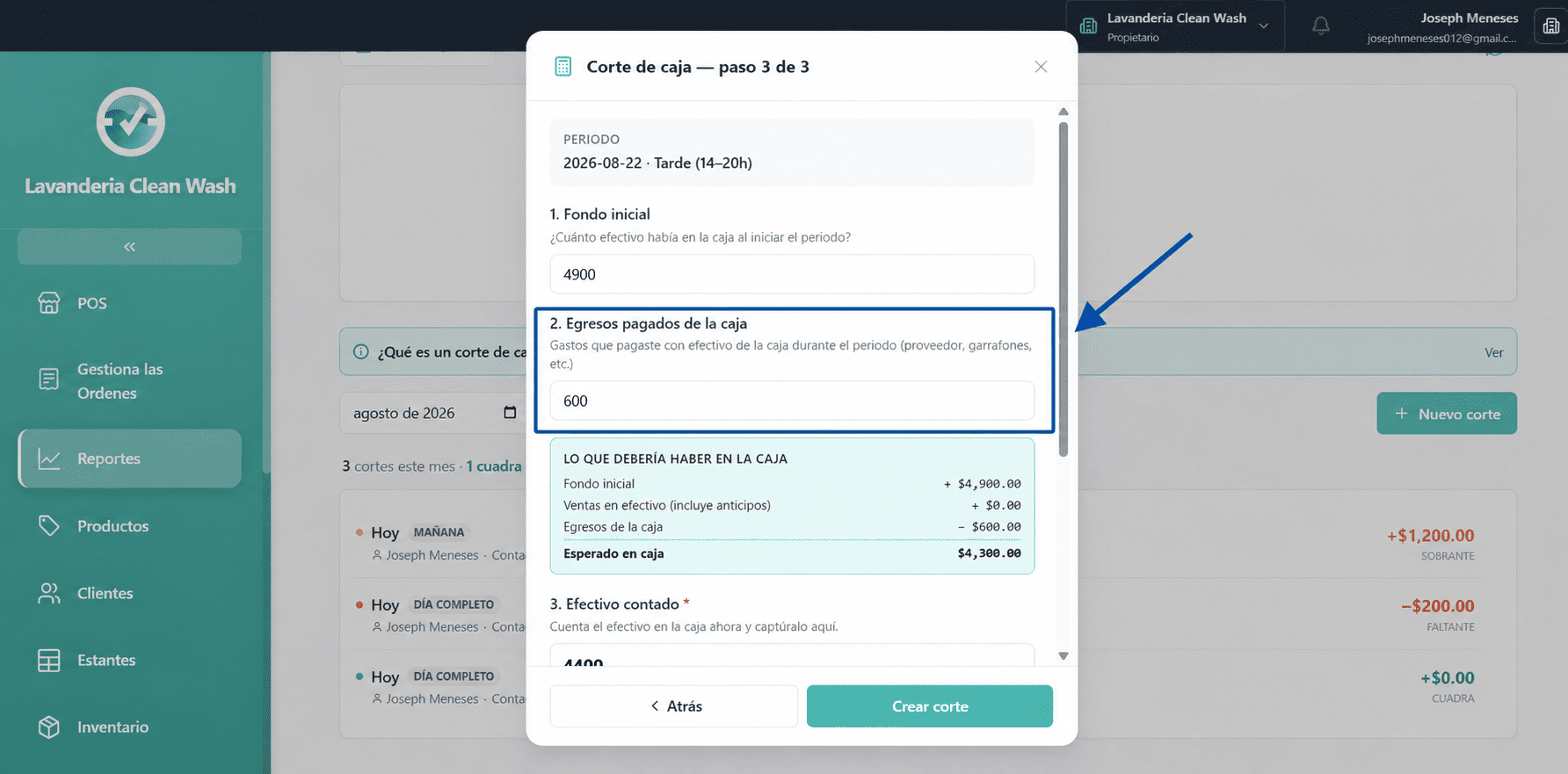
Money in the Cash Register
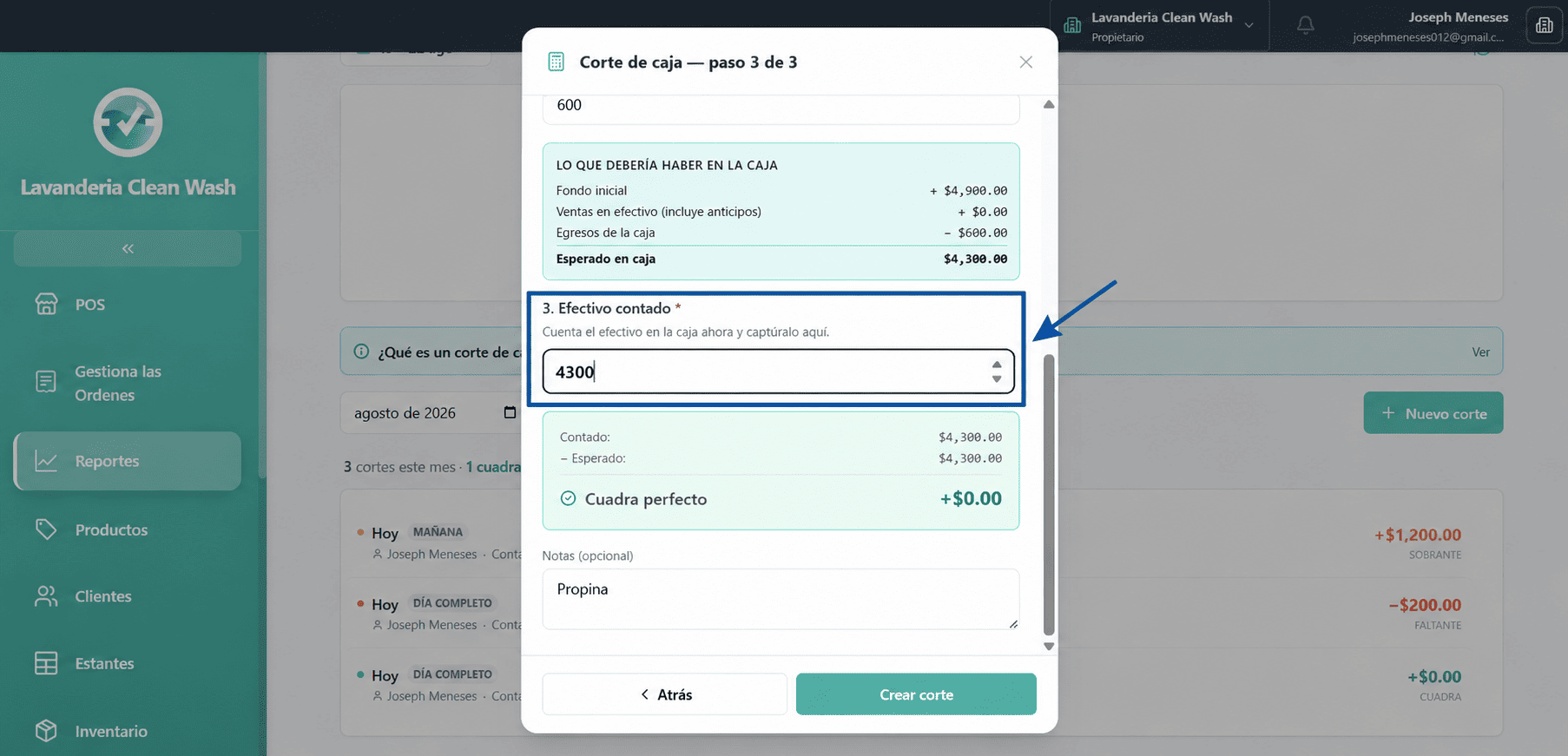
The cash register section shows the amount of money that should be available according to the income and expenses recorded in the system. You can use this amount to compare the system's information with the money you actually have in the cash register.
Making a Cash Register Closing
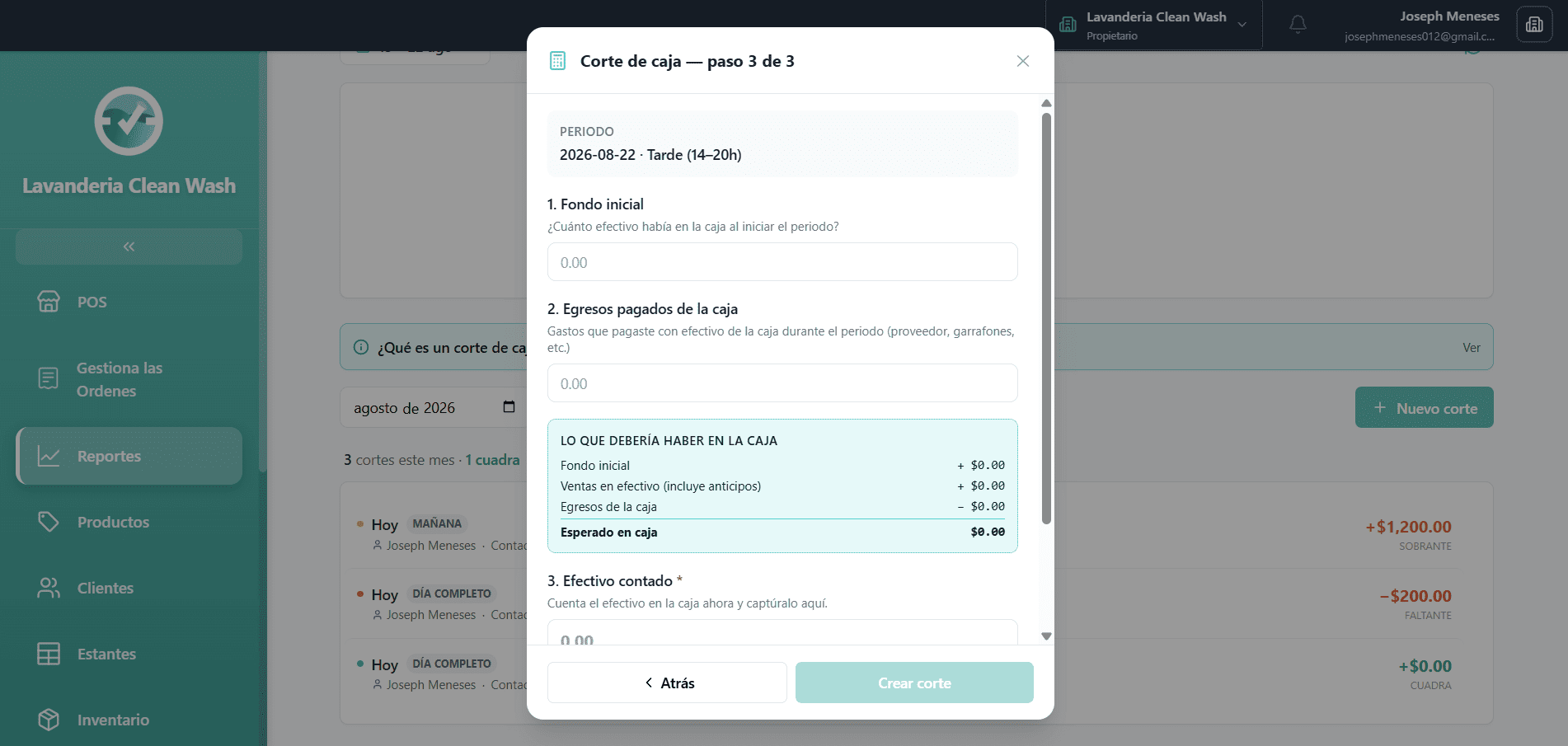
At the end of the day, review the income and expenses recorded in the system. Check the money available in the cash register and compare it with the actual money you have before completing the closing.
Check the cash in the register at the beginning of the period.
Review the expenses recorded during the day.
Check how much money is in the cash register at the end of the closing.
Compare the system's amount with the actual money you have in the cash register.
Create the cash register closing after verifying the information.
Why is it important to make a cash register closing?
Making a cash register closing helps maintain an accurate record of the money handled by the business. It also makes it easier to detect differences between the amount recorded in the system and the money actually available in the cash register.